Most people assume protecting their personal information online requires technical skills, complicated tools, or deep cybersecurity knowledge. In reality, the biggest improvements in digital safety often come from a few simple habits. Over the years, security professionals have noticed a pattern: most online breaches don’t happen because someone lacked advanced software, but rather because attackers exploit predictable behavior, such as weak passwords or rushed clicks.
Think about how often we log into accounts, shop online, or install new apps. These actions feel routine, yet each one creates a small doorway into personal data. The good news is that protecting yourself online doesn’t require becoming a security expert. A handful of smart habits can dramatically reduce the chances of identity theft, account takeovers, or privacy leaks.
Start With Strong Account Security
If there’s one place where online security begins, it’s your accounts. Passwords remain the most common entry point for hackers. Automated attacks constantly try stolen password combinations across thousands of websites.
The problem is simple: people reuse passwords across multiple accounts. When one site gets breached, attackers test those same credentials everywhere else.
A safer approach is to rely on systems that remove the pressure of remembering dozens of passwords.
One of the easiest solutions is using a password manager. These tools generate complex passwords and store them securely, so every account gets a unique login. Instead of memorizing twenty passwords, you only remember one master password.
Adjust Your Device and Browser Settings
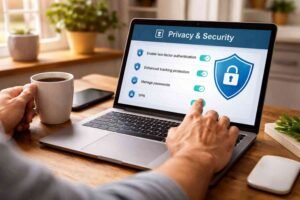
Many people overlook the security tools already built into their devices. Phones, computers, and browsers include powerful privacy protections that only need to be enabled or reviewed.
Keeping your software updated is one of the simplest yet most effective actions you can take. Updates often contain security patches that close vulnerabilities discovered by researchers. When devices run outdated software, attackers know exactly where the weak points are.
Turning on automatic updates removes the risk of forgetting these patches.
Another area worth checking is app permissions. Many apps request access to features like your camera, location, or microphone, even when those permissions are unnecessary. Reviewing these settings occasionally helps limit how much personal information apps can collect.
Browser privacy also plays a major role in online data security. Privacy-focused browsers and search tools reduce tracking and limit how much data advertisers or websites gather about your activity. Small adjustments in browser settings can quietly improve digital privacy every time you go online.
Develop Safer Online Habits
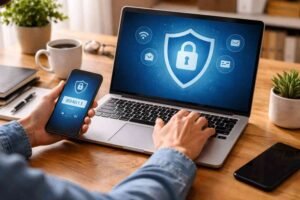
Technology alone cannot protect personal data if everyday behavior remains risky. Many successful cyberattacks rely on psychological tricks rather than technical exploits.
Scammers frequently create a sense of urgency. Messages claiming that an account has been locked, a payment failed, or a package could not be delivered often push people to react quickly. The goal is to make someone click a link before they pause to think.
Treating urgency as a warning sign can prevent many phishing attacks. When something feels suspicious, it’s safer to open the official website or app directly rather than following links in emails or messages.
Public internet connections are another area where caution matters. Free networks in places like airports, cafés, or hotels are convenient, but they are not always secure. Attackers can sometimes intercept data traveling across these networks.
If sensitive tasks must be done on a public connection, a virtual private network can encrypt internet traffic and reduce the risk of interception.
Another smart habit is limiting the amount of personal information shared online. Many websites ask for optional details that are not necessary for creating an account. The less information stored across platforms, the smaller the digital footprint exposed in potential breaches.
Everyday Data Protection Habits That Make a Difference
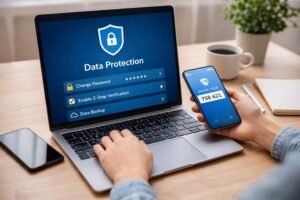
Protecting data online is often less about complex software and more about consistent routines. A few simple behaviors dramatically strengthen online privacy.
- Use a unique password for every account
- Turn on multi-factor authentication wherever available
- Install software updates automatically
- Double-check links in emails or messages before clicking
- Limit the personal information shared on websites
- Avoid accessing sensitive accounts on public networks
These steps may seem small individually, but together they create multiple barriers that automated attacks struggle to bypass.
Stay Alert to Common Online Threats
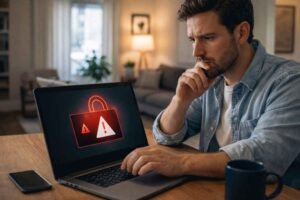
Understanding the most common types of online threats helps people recognize danger earlier. Many cyberattacks follow familiar patterns and lifestyle habits.
Phishing scams remain one of the most widespread tactics. Attackers send convincing messages pretending to be banks, delivery services, or popular apps. The goal is to trick someone into entering login credentials on a fake website.
Data breaches also expose millions of accounts each year. When companies experience breaches, stolen usernames and passwords often circulate through underground markets. That’s why unique passwords for every service matter so much.
Another growing issue is identity theft, where criminals collect pieces of personal information across multiple platforms. Over time, these fragments can be combined to impersonate someone and open financial accounts in their name.
Recognizing these patterns helps people pause before reacting to suspicious situations online.
FAQs: How To Protect Data Online Without Being a Tech Expert
1. What is the easiest way to protect data online?
Using strong, unique passwords and enabling multi-factor authentication are the simplest and most effective ways to protect personal data online.
2. Why are password managers recommended for online security?
Password managers create complex passwords and store them securely, allowing each account to have a unique login without needing to memorize dozens of passwords.
3. Is public Wi-Fi dangerous for personal data?
Public networks can expose internet traffic to attackers. Sensitive activities like banking or logging into important accounts are safer on secure private connections.
4. How do phishing scams steal personal information?
Phishing scams send fake emails or messages that look legitimate. When users click the links and enter login details, attackers capture those credentials.
Final Thoughts
Protecting personal information online doesn’t require advanced technical knowledge or expensive tools. The biggest improvements in digital privacy usually come from everyday habits: stronger passwords, two-factor authentication, updated devices, and cautious browsing behavior. When these practices become routine, they quietly reduce the risk of identity theft, account takeovers, and data breaches.
Digital safety is less about mastering technology and more about building awareness. Small decisions made daily, like verifying a suspicious message or limiting personal information shared online, create long-term protection for your data.